You may have received an email from us notifying you that some of your domains have invalid Whois contact data that needs to be updated.
You may see correct contacts in your dashboard. However, if we have alerted you to this issue then there is incorrect, old data cached in the database. In that case, all you need to do is apply your existing verified contacts again.
This is required to maintain compliance with ICANN and keep your domains in good standing.
It does not mean your domains are going to be taken from you.
For more information on ICANN, Whois, and Whois Privacy, please see the bottom of this article.
Updating contacts is a simple process
To start, you want to make sure you have Contacts you want to apply.
1. Click on My Domains
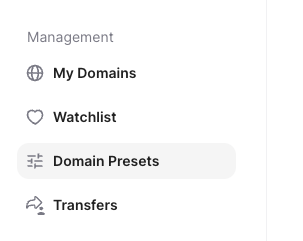
2. Click on Domain Presets
3. Click on Contacts
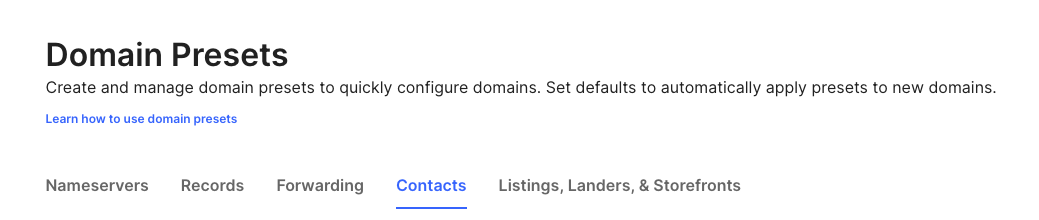
For a direct link to the page, click here.
If you already have a contact there with a valid name, email, address, and phone number then you do not need to add a new contact.
Please note that, as long as you have Whois Privacy enabled, this information is not displayed publicly. It is only available to the registrar (Unstoppable), the registry, and ICANN.
For more details on Whois Privacy and how to enable/disable it, please see our guide here.
4. If you do need to add a new contact, click Create New Contact in the top right.

5. Enter in the information you want for the Contact and press Save.
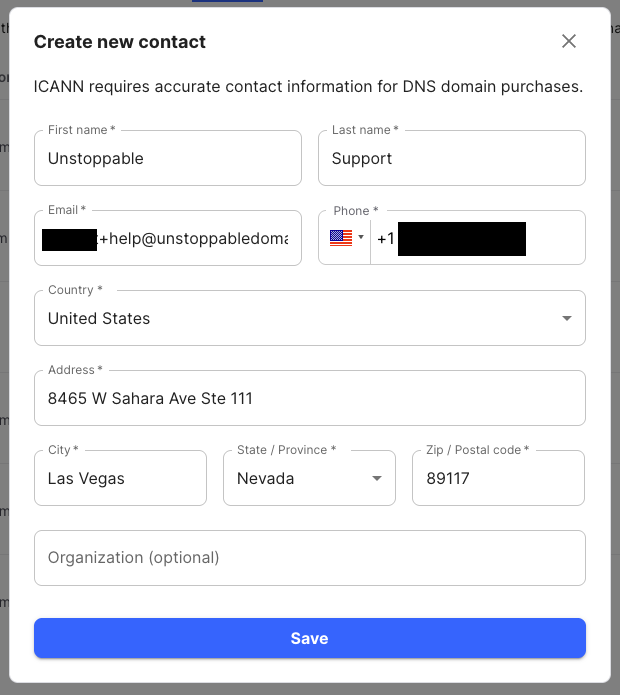
You will see a buffering icon indicating that it is saving the Contact. Once complete, you can apply it to your domain(s).
To apply it your domain(s) follow the below steps
1. Go to My Domains
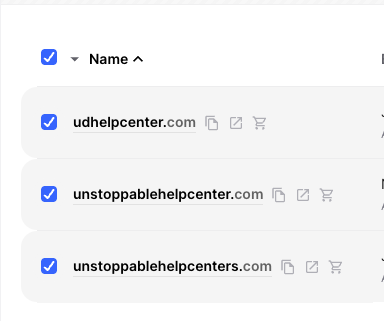
2. Check the box or boxes next to the domain(s) you need to update.
3. Click the blue Actions button
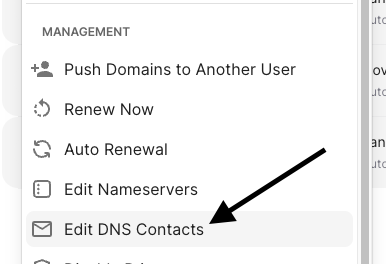
4. Click Edit DNS Contacts
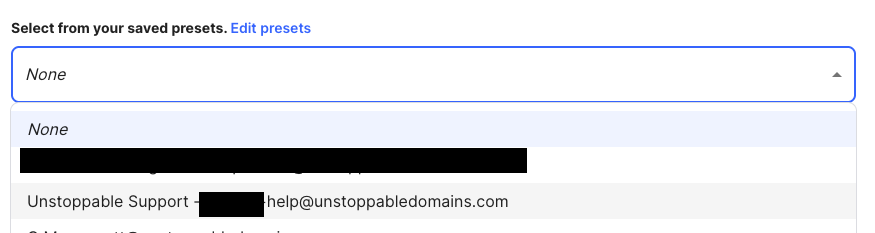
5. Under Select from your saved presets click where it says None.

6. Choose the Contact you just made in Domain Presets.
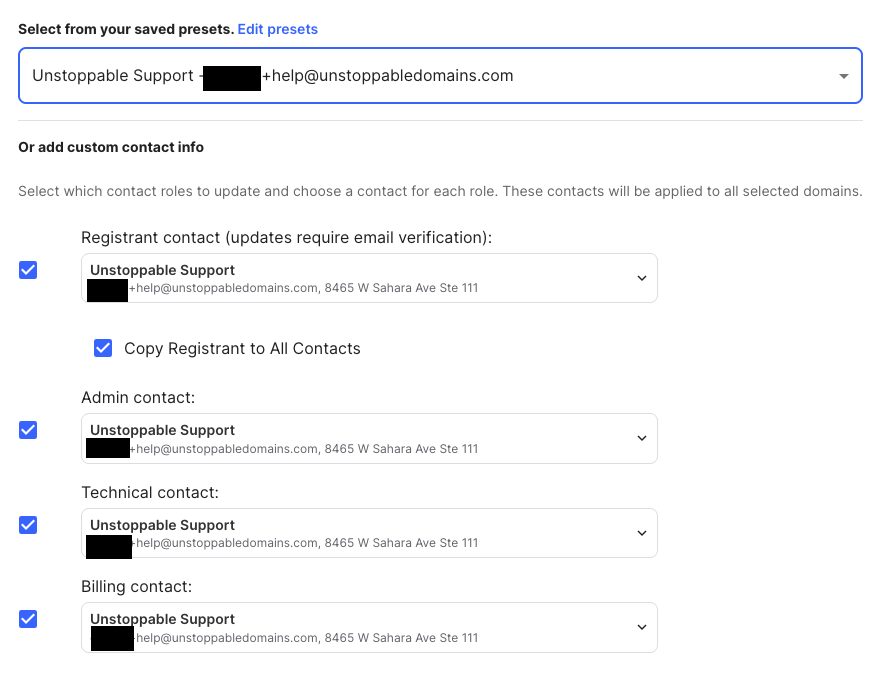
It will apply the preset to the four contact categories Whois requires.
For explanations on what each means, please see the bottom of the article.
The one that matters in this case is Registrant.
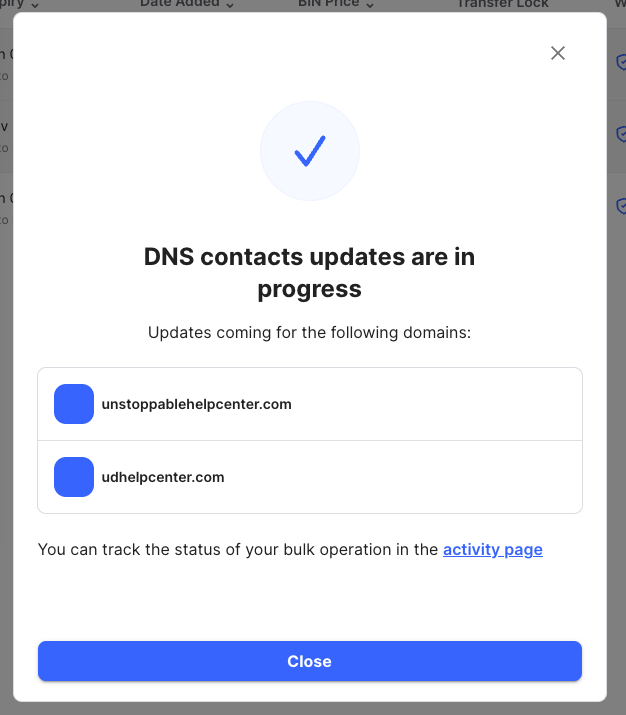
7. Click Confirm Changes (if you use 2FA you will need to enter your code).

It will the notify you that the changes are taking place.
If the email you entered when you setup the contact has never been verified before for Whois with Unstoppable Domains, you will receive an email from no-reply@unstoppabledomains.com to verify it.
The subject will be: "[Action Required] Verify contact information for <your-domain.com>"
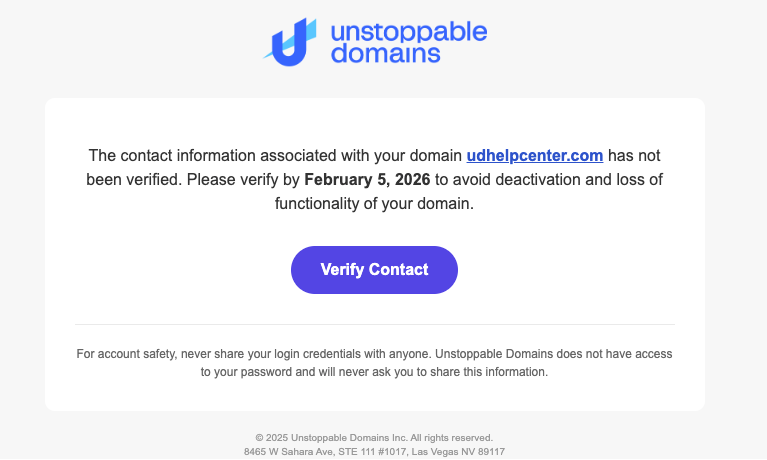
If you have not received it after 20 minutes, please check your spam folder.
It will only list one of the domains even if you selected multiple. The Verify Contact button will verify all of the domains with that contact applied.
Once you click Verify Contact, it will take you to a screen on our website where you confirm the information you provided is accurate and then click Verify.
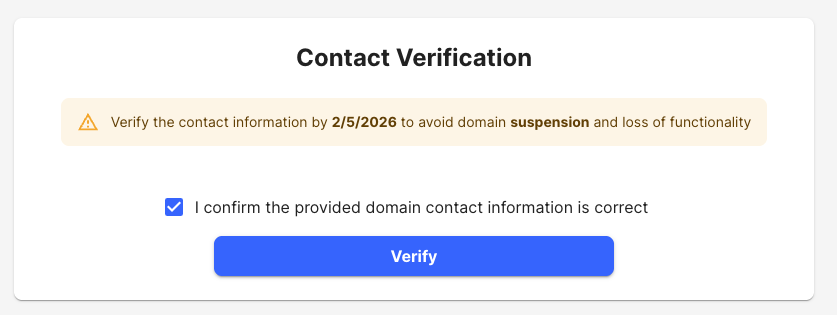
You will then receive confirmation that the information has been verified.
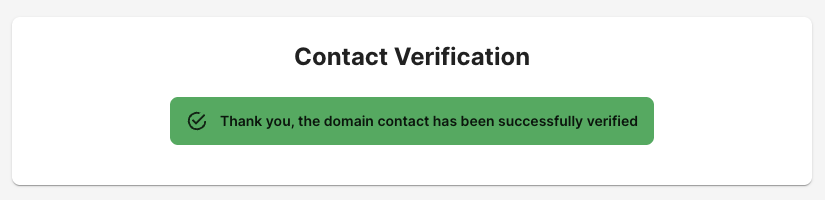
You can also check one of the domains to see if it is required still or to send the email again.
On My Domains, click one of the domains you initiated the update for. If it still needs to be verified, you will see a banner like this.

If you have any trouble, please email us at support@unstoppabledomains.com.
What is ICANN?
ICANN (the Internet Corporation for Assigned Names and Numbers) is the global organization that coordinates the internet’s domain name system (DNS). It sets the rules and policies that registrars and registries must follow to ensure domains work reliably worldwide. One of ICANN’s requirements is that every DNS domain has valid registrant contact information on file.
What is Whois?
Whois is a public database that displays registration information for DNS domains. Depending on the domain and privacy settings, Whois may show details such as the domain’s registrar, registration dates, expiration date, nameservers, and registrant contact information. Whois exists to provide transparency, help resolve technical issues, and support legal or abuse-related inquiries.
You can search your domain here to see what it looks like.
How does Whois Privacy work?
Whois Privacy is a service that protects your personal contact information from being publicly visible in the Whois database. When privacy is enabled, your real name, email address, phone number, and physical address are replaced with proxy or anonymized information provided by the registrar or privacy service.
For more details on Whois Privacy and how to enable/disable it, please see our guide here.
What are the Whois contact categories?
For DNS domains, ICANN requires four types of contact information to be associated with a domain. These contacts identify who owns the domain and who is responsible for managing it.
Registrant Contact
The Registrant is the legal owner of the domain. This contact represents the individual or organization that holds the rights to the domain name. The Registrant has ultimate authority over the domain, including transfers, ownership changes, and renewals.
Administrative Contact
The Administrative contact is the person or entity authorized to make non-technical decisions about the domain on behalf of the Registrant. This contact is often responsible for approvals related to domain management, disputes, or policy matters.
Technical Contact
The Technical contact is responsible for the domain’s technical configuration. This typically includes DNS settings, nameservers, and troubleshooting technical issues related to how the domain functions on the internet.
Billing Contact
The Billing contact handles financial matters related to the domain. This includes renewal notices, invoices, and payment-related communications.
Important notes about WHOIS contacts
- In many cases, the same person or organization can be listed for all four contact roles.
- When Whois Privacy is enabled, these contact details are replaced with anonymized or proxy information in public Whois results.
- Regardless of privacy settings, valid contact information must always be on file with the registrar (Unstoppable) to comply with ICANN requirements.